Parent Links and Sublinks
Understand how Kliq keeps destinations canonical and placements comparable.
Kliq uses one link model with two distinct roles. The create flow is in Create a Link. This page is the model that flow implements.
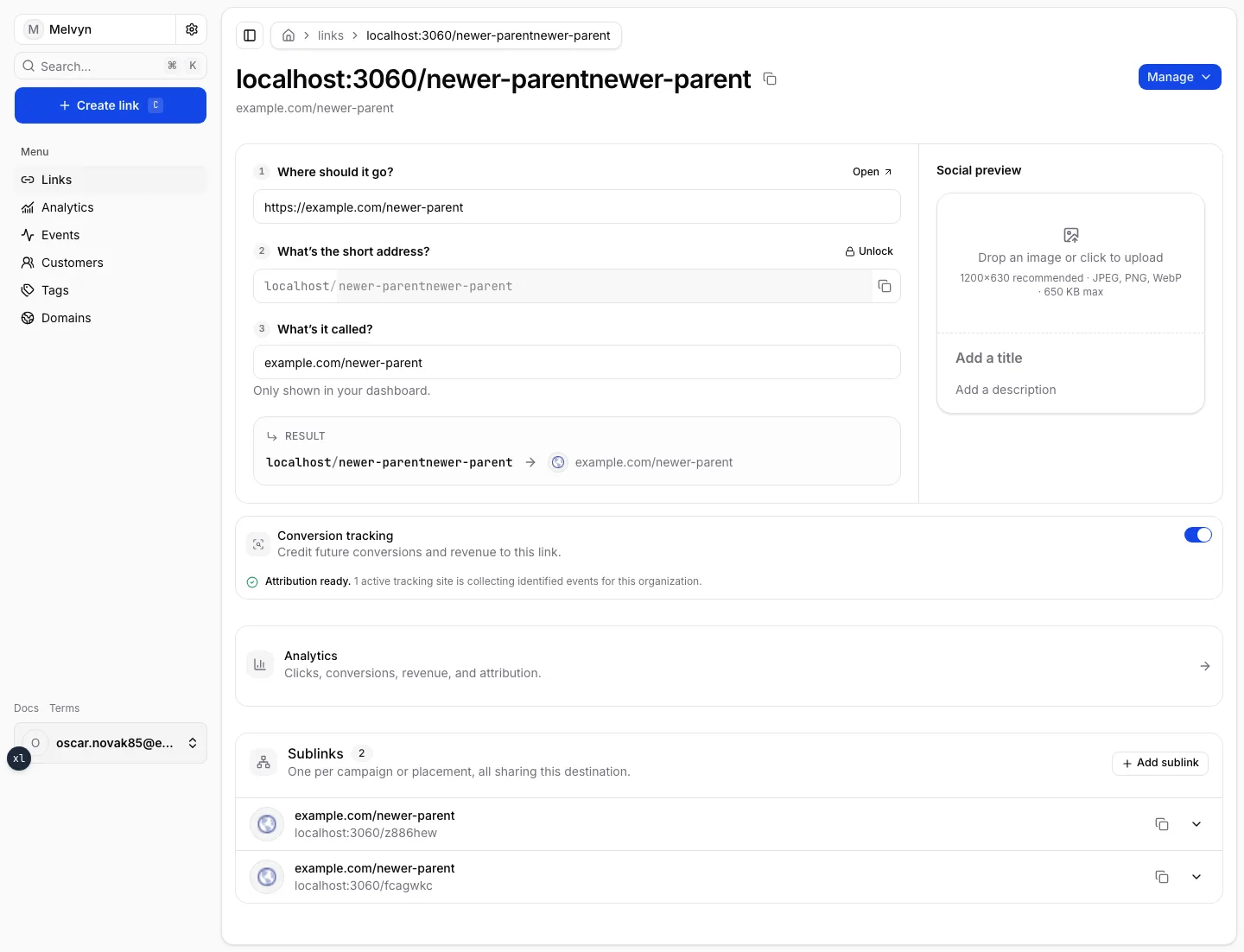
Parent links
A parent link owns the shared destination, domain, name, and social metadata. Changing its destination changes the effective destination for its sublinks without copying that value into every variant.
Create a parent when the destination is new to the organization. The social preview (Open Graph image, title, description) lives here so every sublink renders the same card when shared.
Sublinks
A sublink represents one placement. It has its own slug, label, context, and UTM parameters while inheriting destination and preview metadata from its parent.
A parent's UTM parameters are part of its destination URL: the UTM editor reads and rewrites that URL. A sublink has no URL of its own, so its UTM parameters are stored on the sublink and added to the parent's URL on redirect; an empty field keeps the parent's value.
Use a separate sublink whenever two placements need to be compared independently, even when they point to the same destination. Tags group those sublinks in filters; they do not replace them. See Tags.
Grouping on create
If you paste a destination that already has a parent, Kliq offers to attach the new slug as a child of that parent, or to create a new parent and keep the previous link as a sibling. Grouping is offered after the destination is final because that is the first moment it is knowable.
Lifecycle
All links are active when created. Archive them instead of deleting published URLs. A repeated slug on the same domain must be rejected, and an unverified domain must not publish redirects until verification succeeds.
Conversion tracking on the parent credits future leads and revenue to this destination’s placements once a tracking site is active. Details are in Attribution.