Create a Link
Create a parent link or a sublink, set the slug, tags, preview, and UTM parameters.
Every Kliq URL is either a parent (owns the destination and social
preview) or a sublink (one placement of that destination). Create from
Links → Create link, or press C.
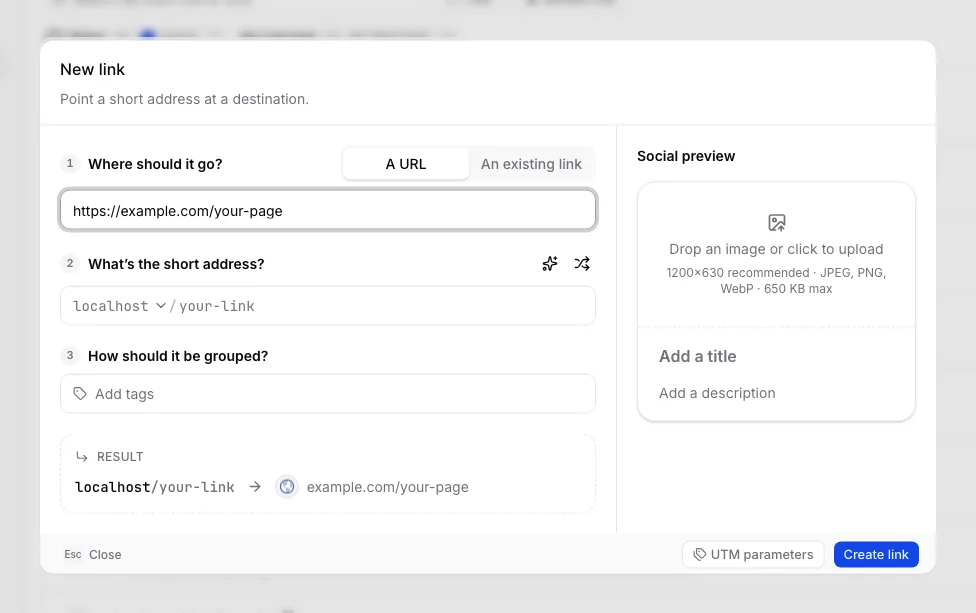
Create a parent link
- Choose A URL and paste the destination (
https://…). - Pick the domain. New organizations always have the shared Kliq domain. Custom domains appear as soon as you add them; a domain only starts redirecting once verification succeeds.
- Enter a slug, or use the wand / shuffle controls. Slugs are unique per domain, 1–80 characters, and must match the allowed pattern shown if the field rejects the value.
- Optionally attach tags so the link can be filtered later.
- Optionally turn on Description to note what the link is for. This stays in the dashboard; it is not the social-card description.
- Optionally fill the social preview (image, title, description). Sublinks inherit this from the parent — do not duplicate it on every placement.
- Optionally open UTM parameters to append
utm_source,utm_medium,utm_campaign,utm_term, andutm_contentto this placement only. - Create link.
The result row at the bottom of the form is the redirect you are about to
publish: domain/slug → destination.
Create a sublink
Use a separate sublink whenever two placements need independent click, lead, and revenue numbers — YouTube vs newsletter, two affiliates, two ads — even when they share a destination.
Two ways in:
- From the parent, Add sublink. The form opens on An existing link with that parent already picked.
- From Create link, switch to An existing link and pick the parent.
A sublink has its own slug, label, tags, and UTM parameters. It does not own the destination or the social preview.
If you paste a URL that already has a parent, Kliq offers grouping after you submit: attach as a child of the existing parent, or create a new parent and keep the previous link as a sibling. That step only appears once the destination is final.
After you create it
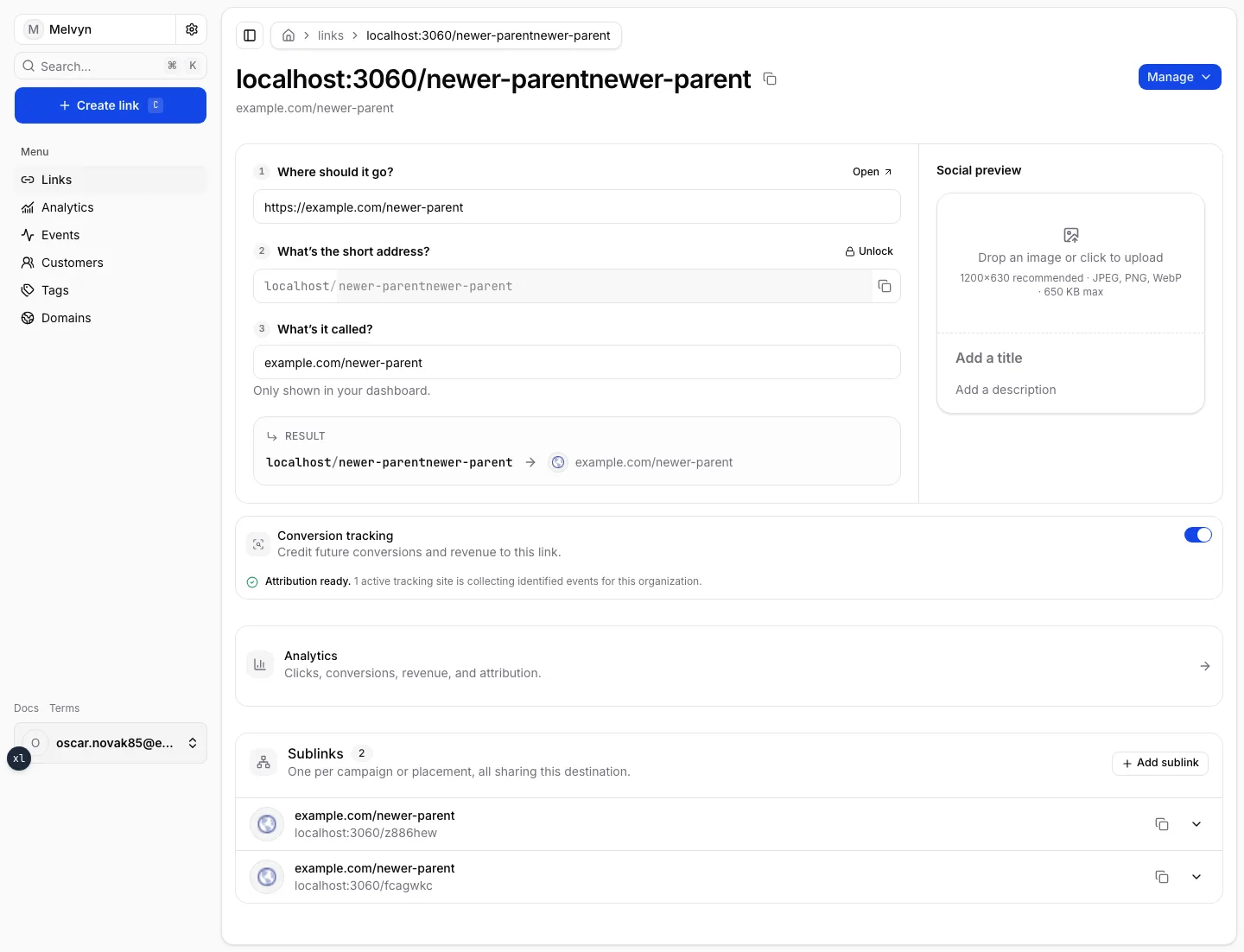
The link page is the published object:
- Copy the short URL from the title.
- Conversion tracking credits future leads and revenue to this link when the destination has a tracking site. See Attribution.
- Analytics opens the org analytics page scoped to this link.
- Sublinks lists every placement of this destination.
Archive a published URL instead of deleting it. A repeated slug on the same domain is rejected.
The links list
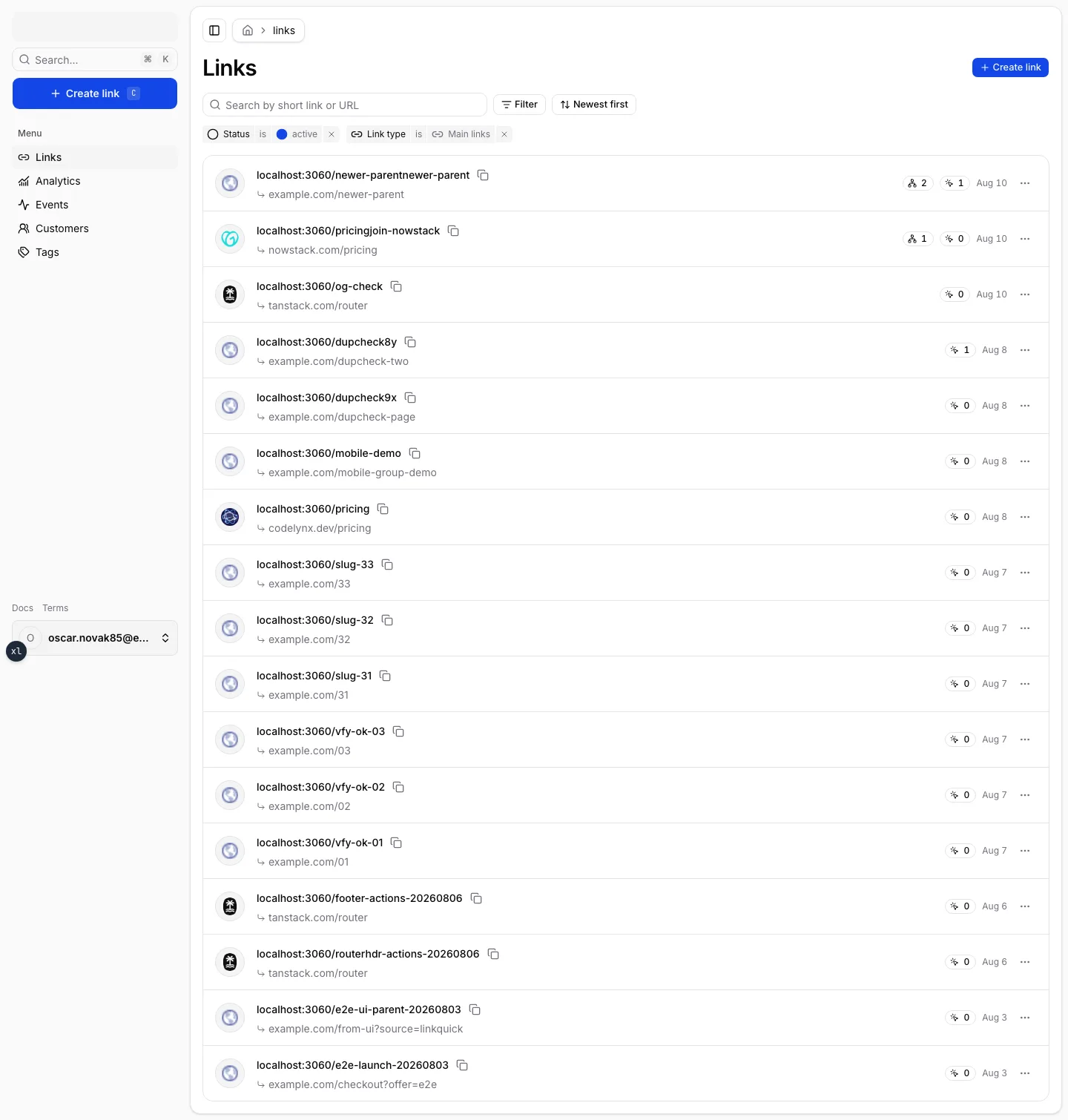
Links defaults to active main links, newest first. Search widens the list to every matching slug or destination. Filter by status, type, or tag; sort by newest, oldest, most sublinks, or most clicks (the last two only while the list is scoped to main links).
Each row shows the short URL, destination, sublink count, click count, and created date. The click count opens analytics for that link.
Next
- Parent Links and Sublinks — the model behind the form.
- Tags — campaign and channel grouping.
- Analytics — what happens after the first click.