Customers
See who was identified, which link got first-touch credit, and the attributed revenue.
A customer is someone the destination identified: an email from
kliq.lead(email), then usually an application user id from identify.
Kliq does not invent customers from clicks alone.
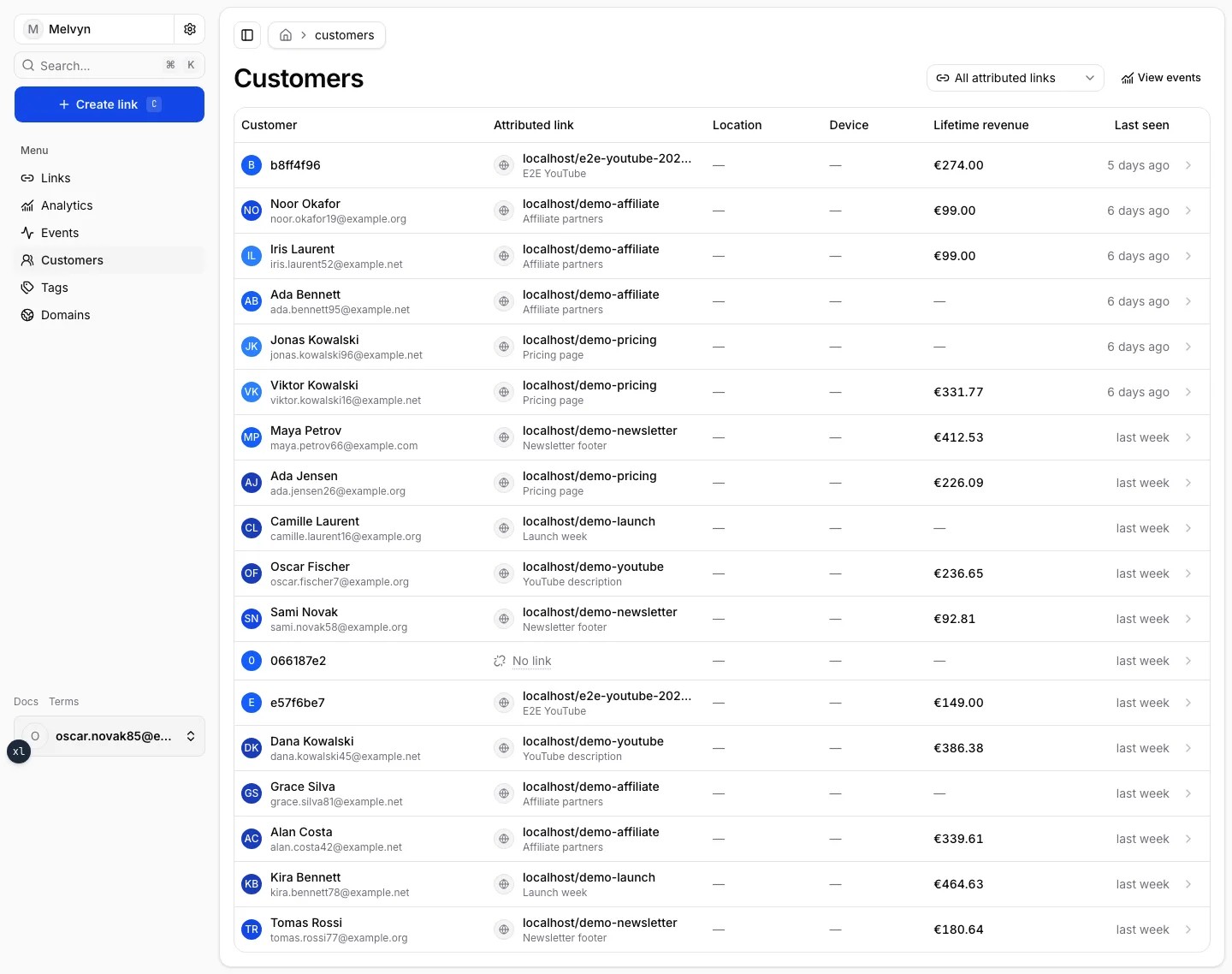
The list
Each row is one customer:
- Customer — name, email, or external id (anonymize in Account → Privacy if you are sharing a screen).
- Attributed link — the short URL that currently holds first-touch credit, plus its label. No link means the customer was identified without a stored click id, or the credited link was deleted.
- Location / Device — from the identifying click when geo and UA were present.
- Lifetime revenue — trusted sales on that customer, not the selected date window.
- Last seen — the most recent event.
Filter with All attributed links to restrict the list to customers whose current first-touch link is that short URL. The filter lives in the URL so it is shareable and undoable with Back.
View events jumps to the Events feed.
The customer page
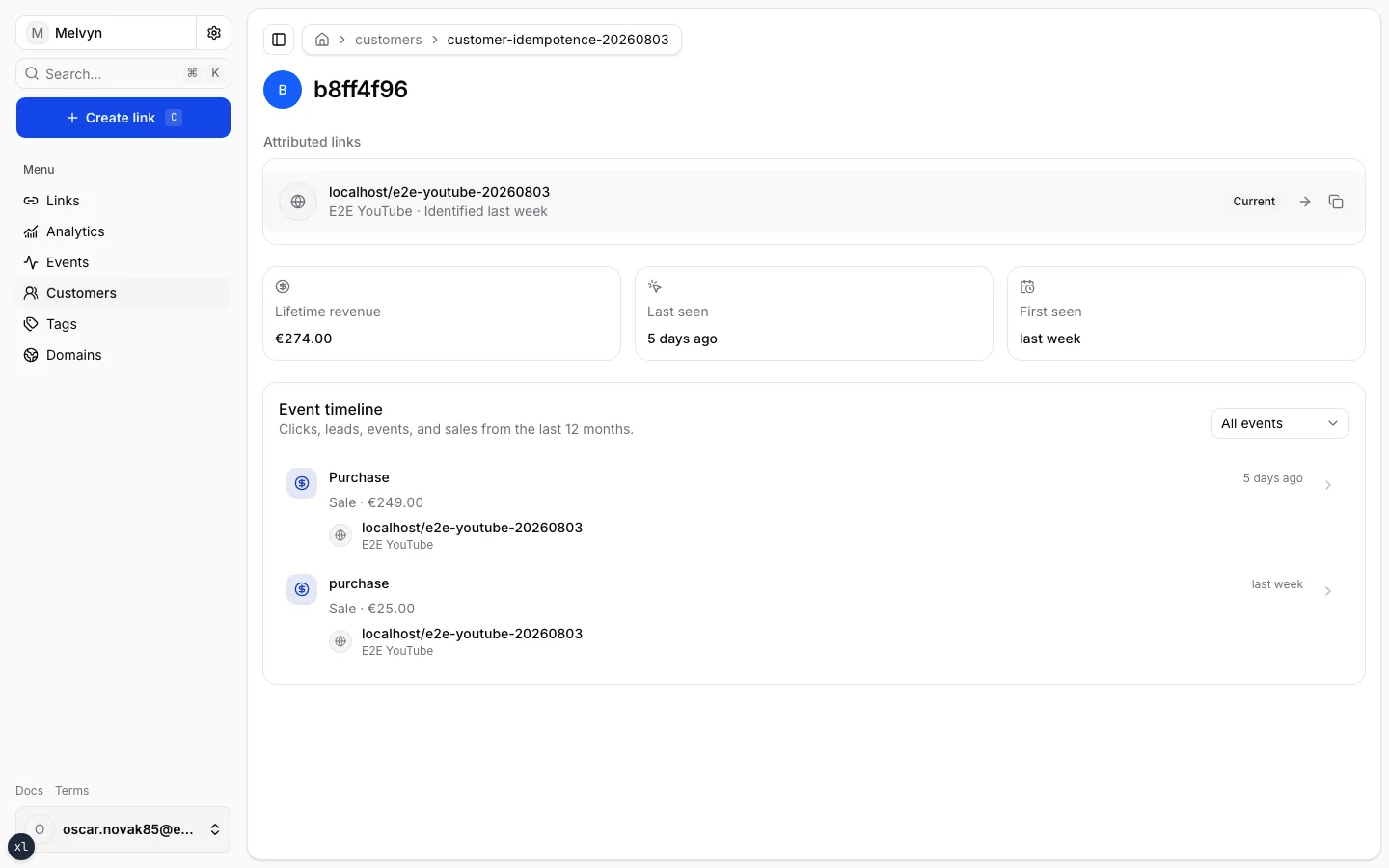
The header is the customer key. Below it:
- Attributed links — every short URL this person was identified on, not only the one that currently holds first-touch. Current is the credit that sales inherit.
- Lifetime revenue, Last seen, First seen.
- Event timeline — clicks, leads, custom events, and sales for the last 12 months, each row linking back to its short URL.
Matching clicks that share the identifying click’s IP and user-agent are attached to the profile. They enrich the timeline; they do not move first-touch credit to another link.
How credit is assigned
First Kliq click inside the attribution window wins. Later Kliq clicks by
the same visitor do not steal the lead. A later lead from a new eligible
click can start a new window. Sales are keyed by the customer, so
installments keep the established first-touch even after the original
click window ends.
Details, including lead → identify rekeying, live in
Attribution.